Biklo Guide: Buy with delivery
Everything you need to know to safely order products on Biklo
Order safely through Biklo
You pay online, and the money is held until you confirm receipt of the product.
Before you order
- Check the 'Biklo Delivery' label in the ad.
- Make sure your delivery details are correct.
- Only use the Biklo payment system for safety.
Product page – start ordering
Check the seller and click "Buy with delivery"
- Verify the seller (verification badge), price, and information.
- Click "Buy with delivery".
- You can read the details about the "Shop safely with Biklo" mode.
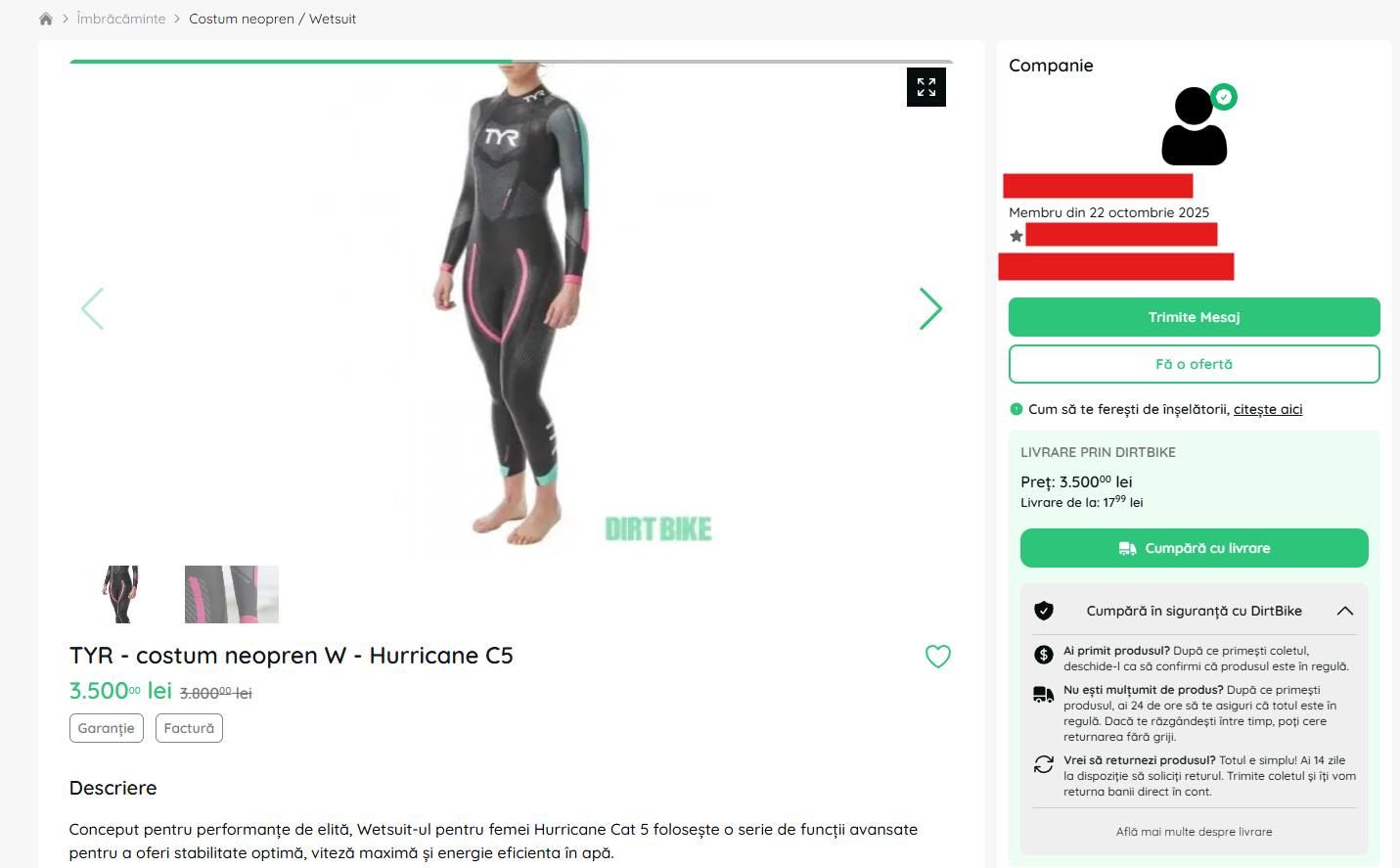
Check the seller and click the "Buy with delivery" button to start your order.
Choose the delivery method and complete the payment.
You can choose delivery to the address or pickup point
- Option A — Delivery to address:
- Confirm your address (or add a new one).
- Check "Delivery to address".
- Choose the available courier.
- Check the order summary (product price, shipping, Buyer Insurance).
- Click "Pay and order now".
- Option B — Delivery to pickup point (easybox / locker):
- Check "Delivery to pickup point".
- Under "Select pickup point", click "+".
- In the map window: search for the area, select the desired locker, then press "Select".
- The chosen item appears under "Delivery Details".
- Click "Pay and order now".
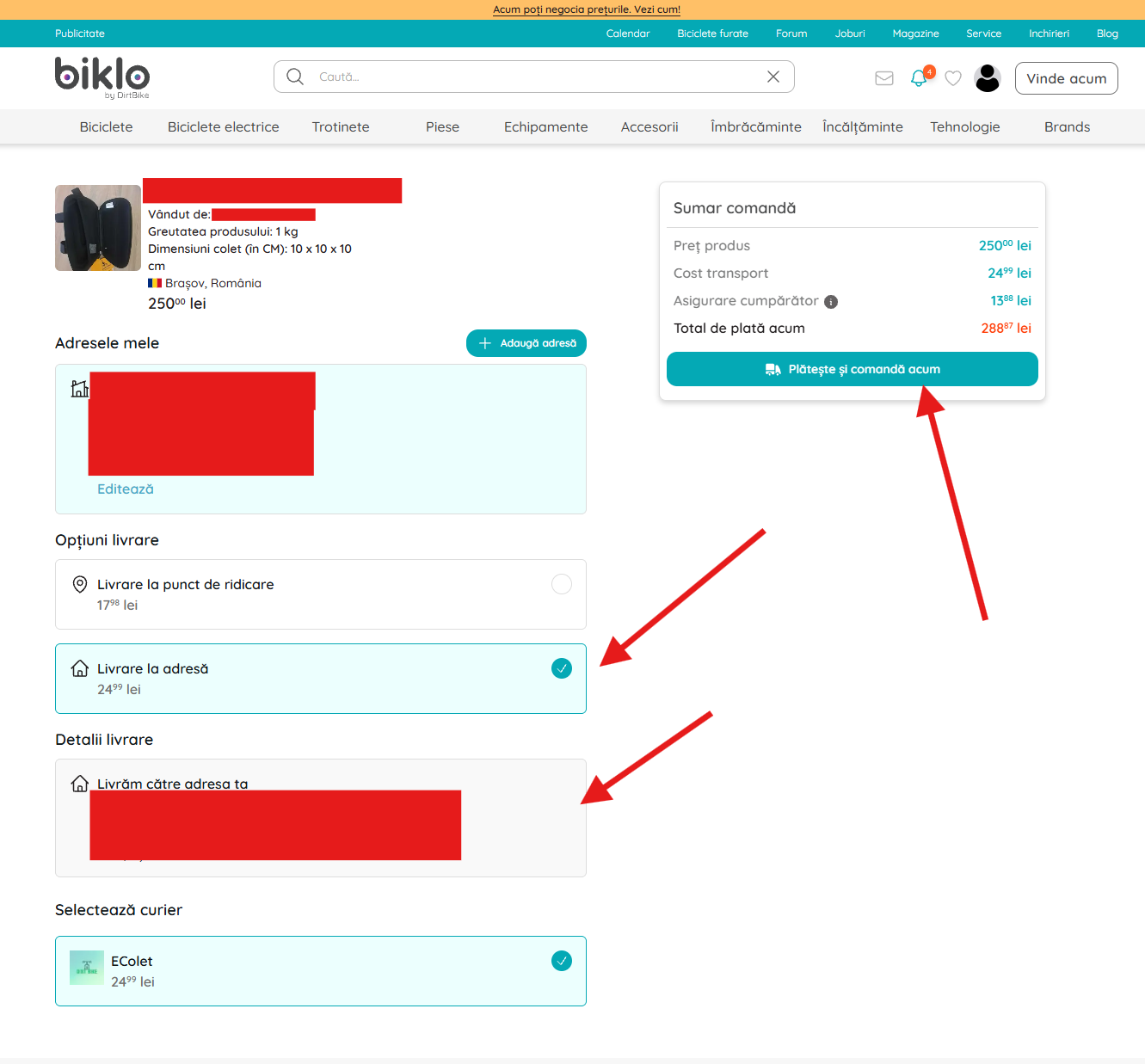
Choose between delivery to your address or personal pickup from a locker.
Order confirmation
Check the success message after payment
- After completing the payment, see the "Success!" page - the transaction has been processed.
- You can go directly to "To Your Account".
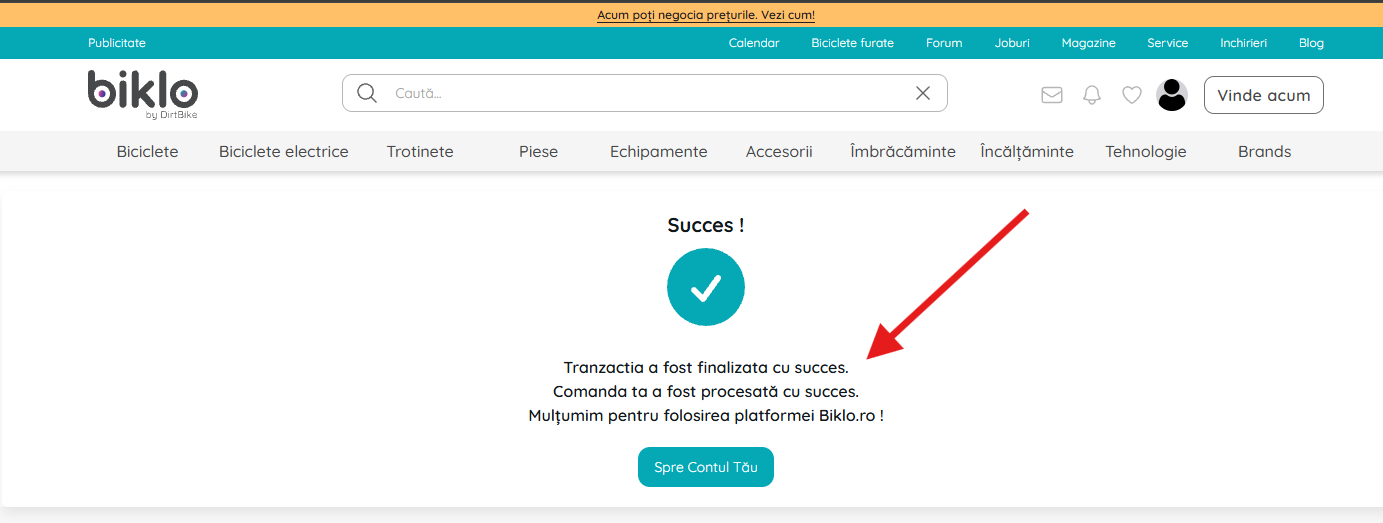
The transaction was processed successfully. You can access your account for details.
Find the order after payment
Access orders from your Biklo account
- Open the menu in the top right (your avatar).
- Select "Orders" to view all your orders.
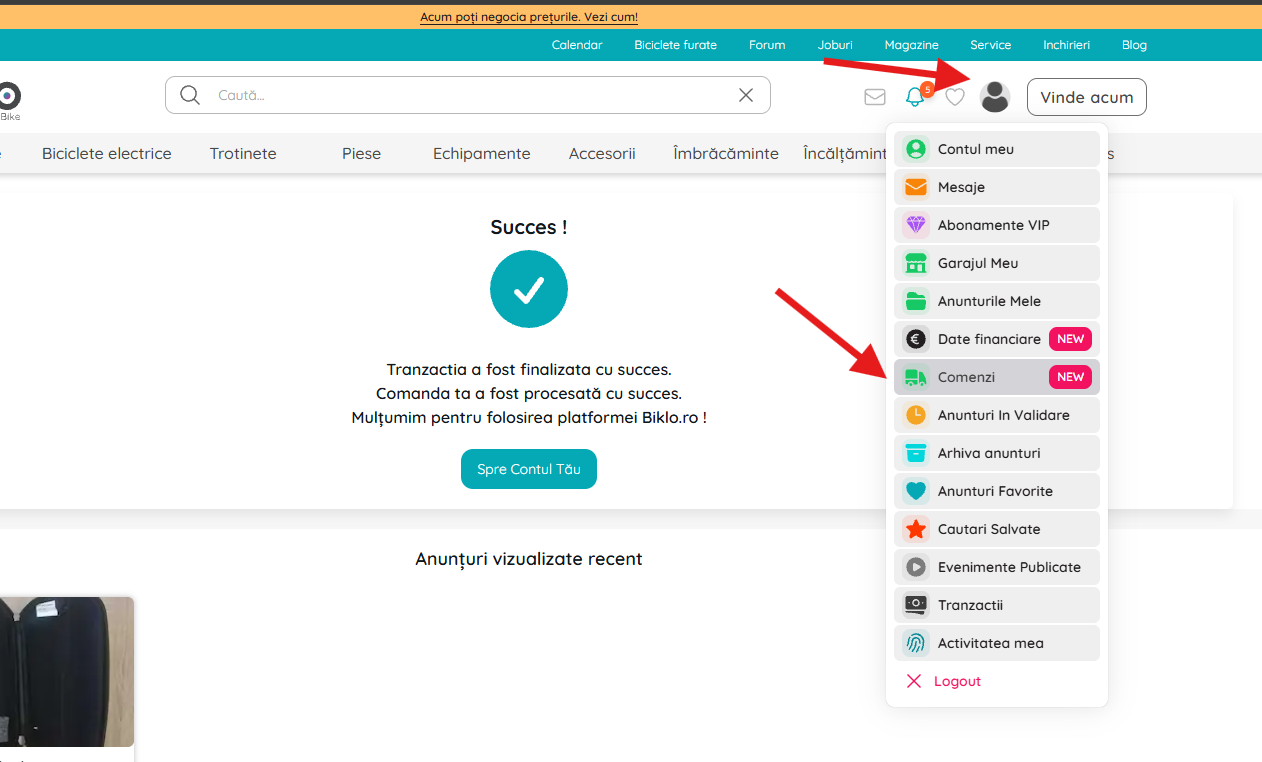
Access the "My Orders" section to see your order history and status.
"My orders" – track status
Monitor active orders
- Open the "Incoming" tab for pending or on-the-go orders.
- See the expiration timer and order details.
- You can message the seller or cancel the order (if available).
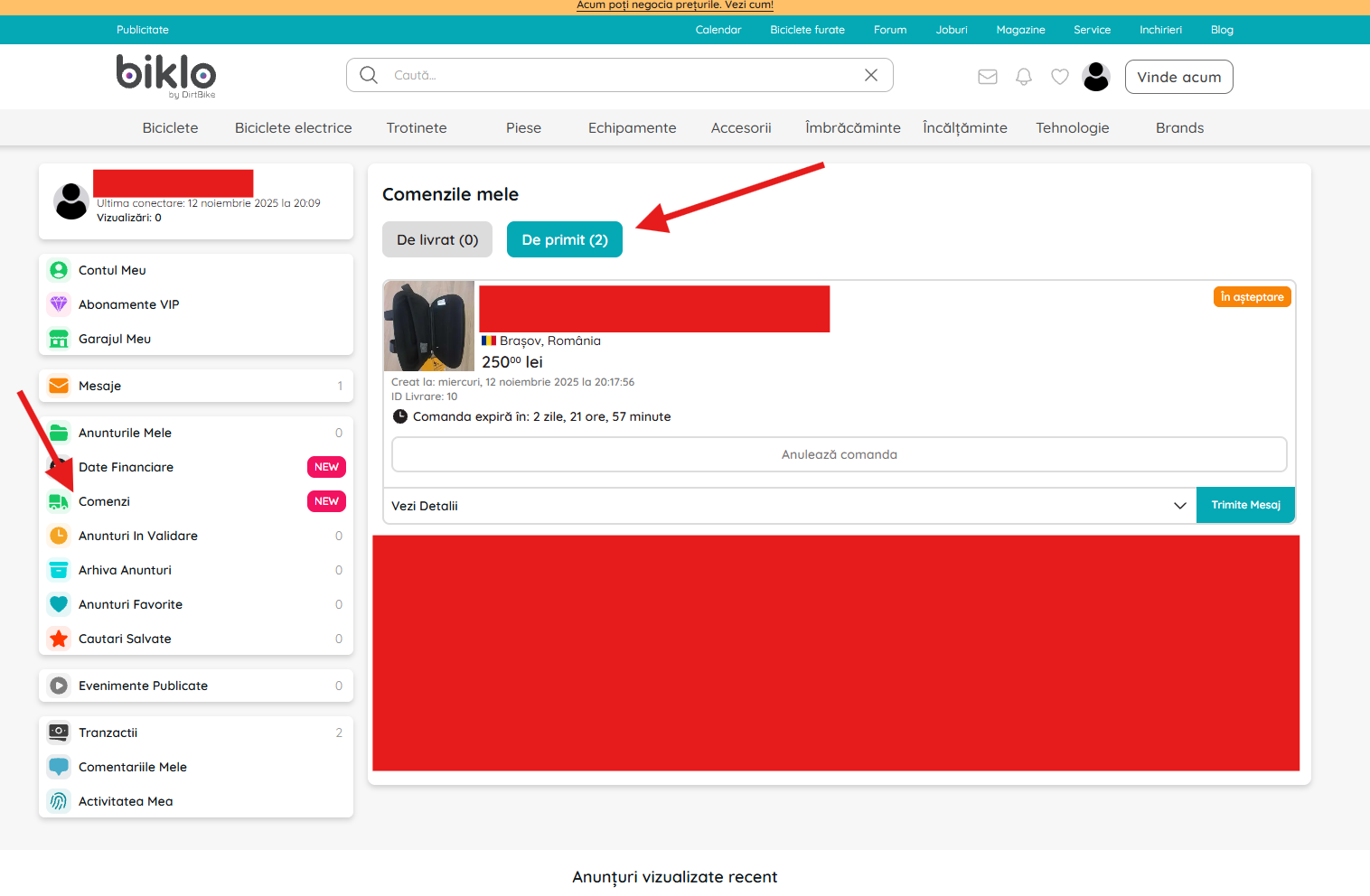
Check the delivery status and communicate directly with the seller from your account.
Order cancellation
If you need to cancel an active order
- From Orders → Incoming, open the order.
- Click on "Cancel order".
- In the confirmation window you see:
- • Total paid
- • Buyer's insurance (non-refundable)
- • Total refunded (the amount you get back)
- Confirm by "Cancel order". The refund will be made to the card you paid with, according to the terms and conditions.
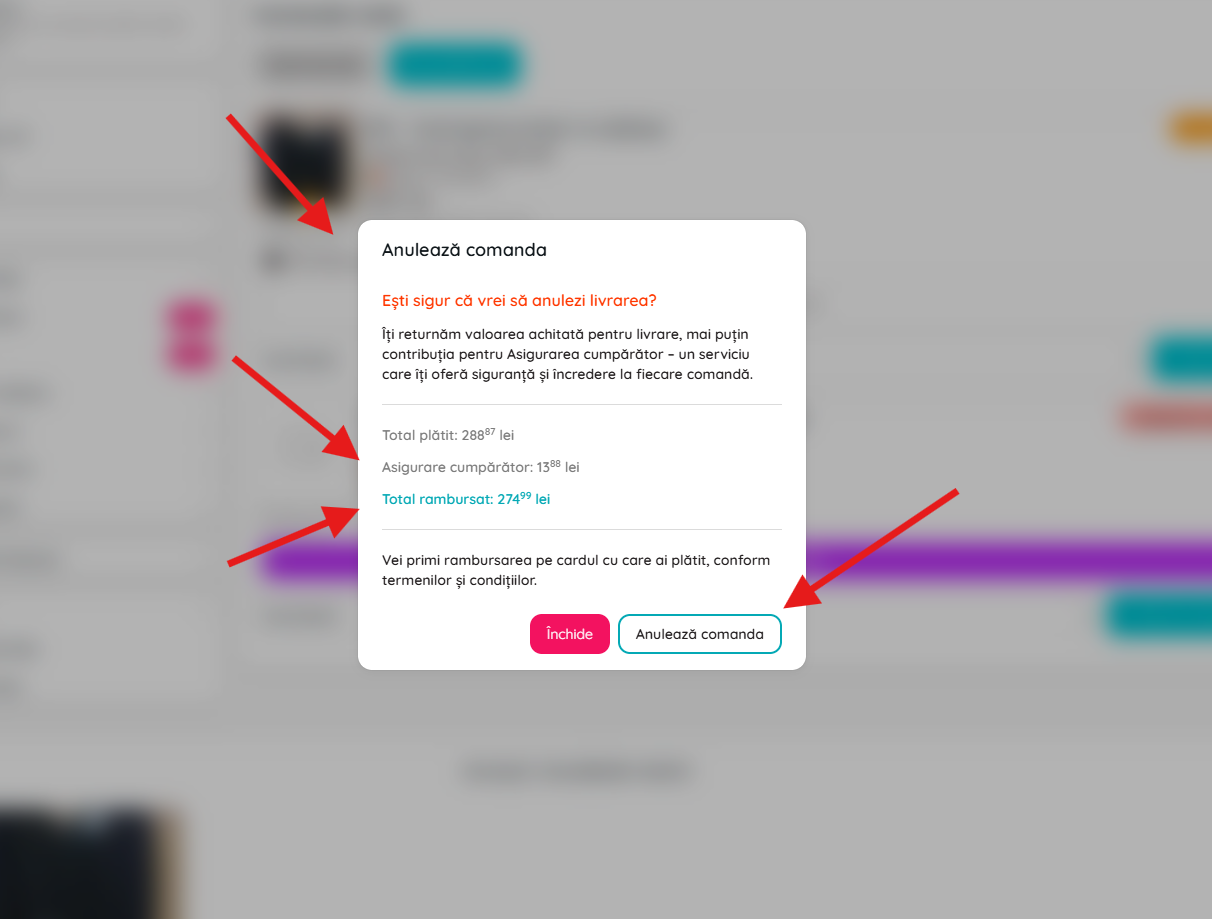
howto.buy_with_biklo.step6.image.caption