Biklo Guide: How to deliver an order
Simple steps for sellers — from order confirmation to AWB generation and parcel delivery.
Ship orders quickly and securely
Simplified process for sellers: select pickup method, schedule courier, and deliver worry-free.
Before you deliver
- Make sure the product is ready for shipment.
- Check the submission deadline (the timer in the order).
- If you cannot fulfill the order, use the "Refuse delivery" option.
Enter the order to be delivered
Access orders from your Biklo account
- Go to Orders from the left menu.
- Open the "To be delivered" tab.
- Choose the order marked "Pending" and watch the timer (the time limit within which you must send the package).
- Click "Send package" (you can also "Refuse delivery" if you cannot fulfill the order).
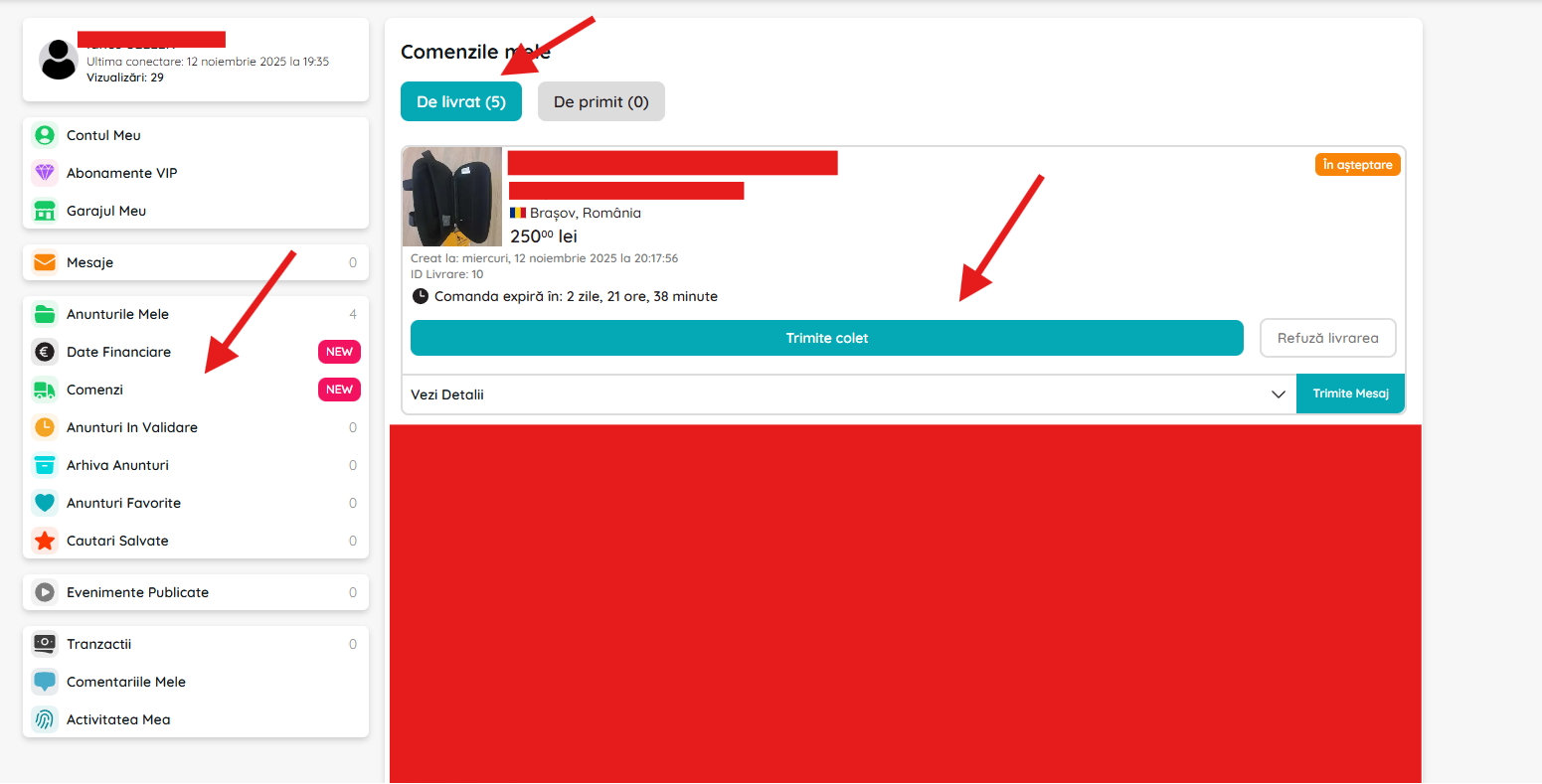
Access the order that needs to be delivered and click "Send package" to start the shipping process.
Choose the type of teaching and fill in the details
Configure the pickup method for the courier
- On the shipping page:
- • Under "Where can I pick up the package?" choose one of the options:
- - Pick-up from location → you will hand over the package to a locker/point.
- - Pick up from your address → the courier comes to you.
- • Under "Pickup details" click on the "Select pickup point" field (if you chose the first option).
- • Optional: upload the invoice (PDF, JPG, PNG, DOCX, XLSX).
- • On the right you see the order summary and the "Request courier" button (it becomes active after filling in the data).
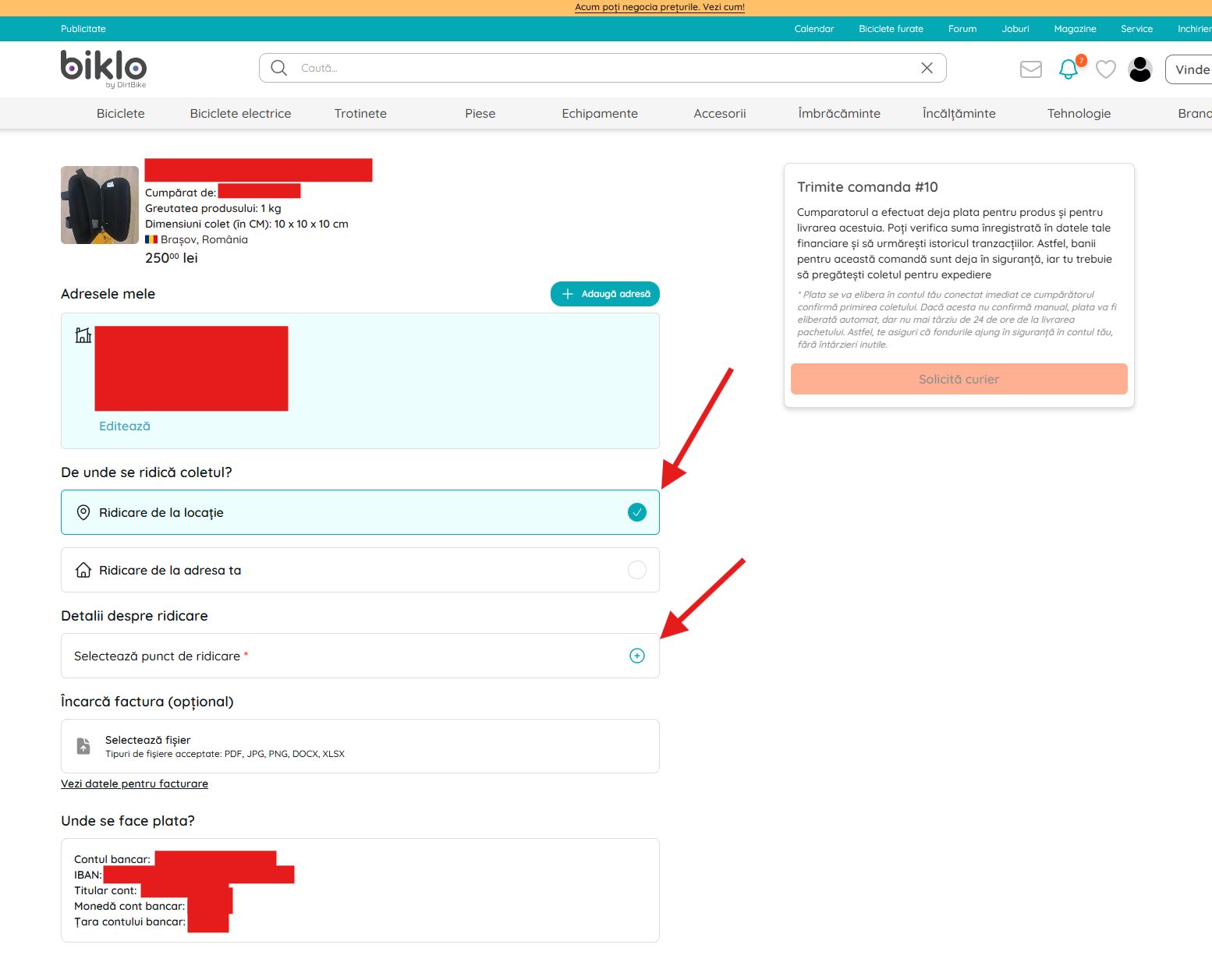
Fill in the pickup details, optionally add the invoice and request the courier.
Drop-off point (locker / easybox)
Select the locker from the map
- In the map window, search for the area or move the map manually.
- Select a locker/point from the list or directly from the map.
- Press "Select" to confirm.
- After selection, the item appears filled in under "Pickup Details".
- Then click "Request courier" to automatically generate the AWB and delivery label.
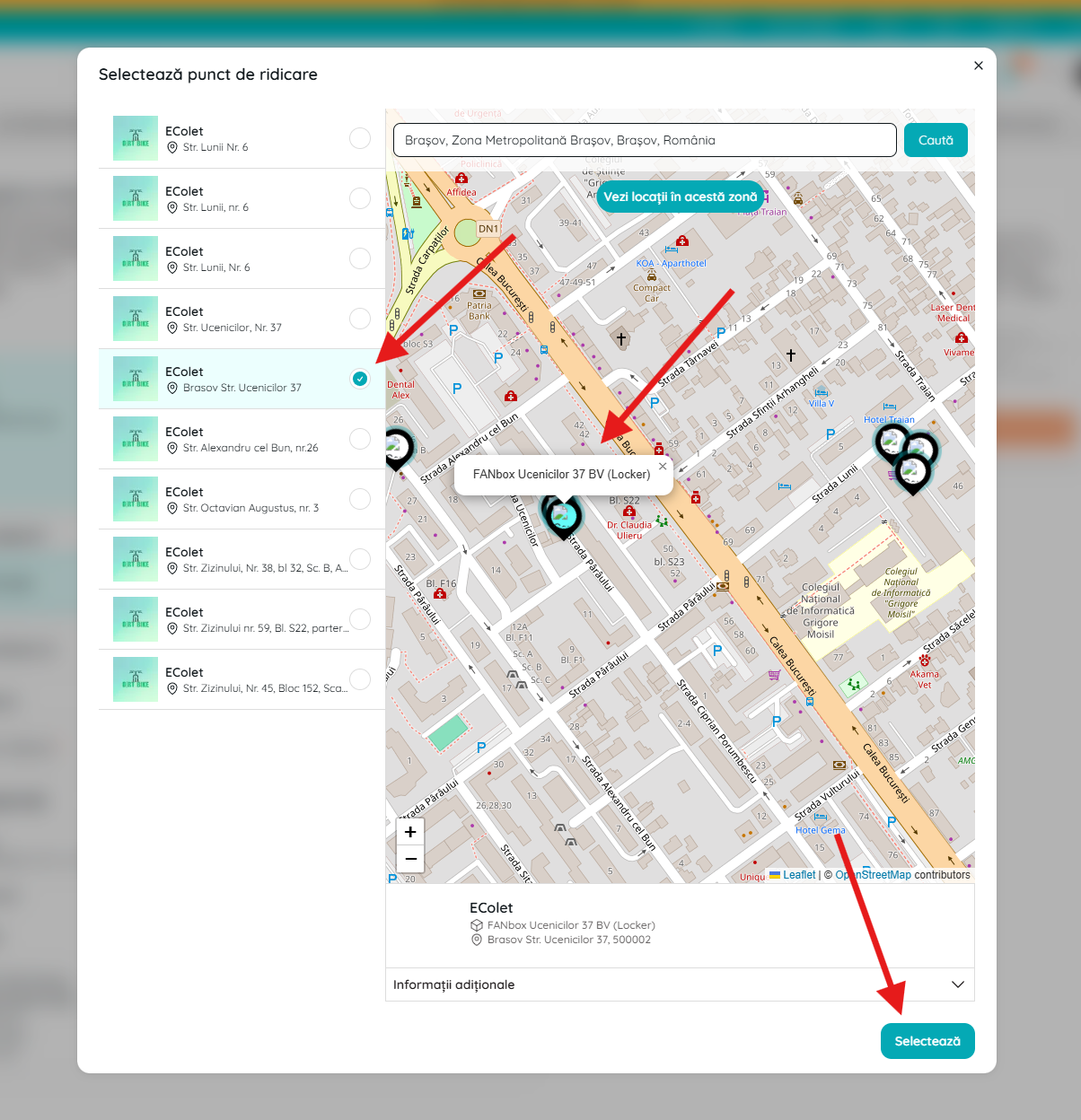
Choose a locker or drop-off point from the map to send the package.
Pick up from your address
Schedule the pickup date and time
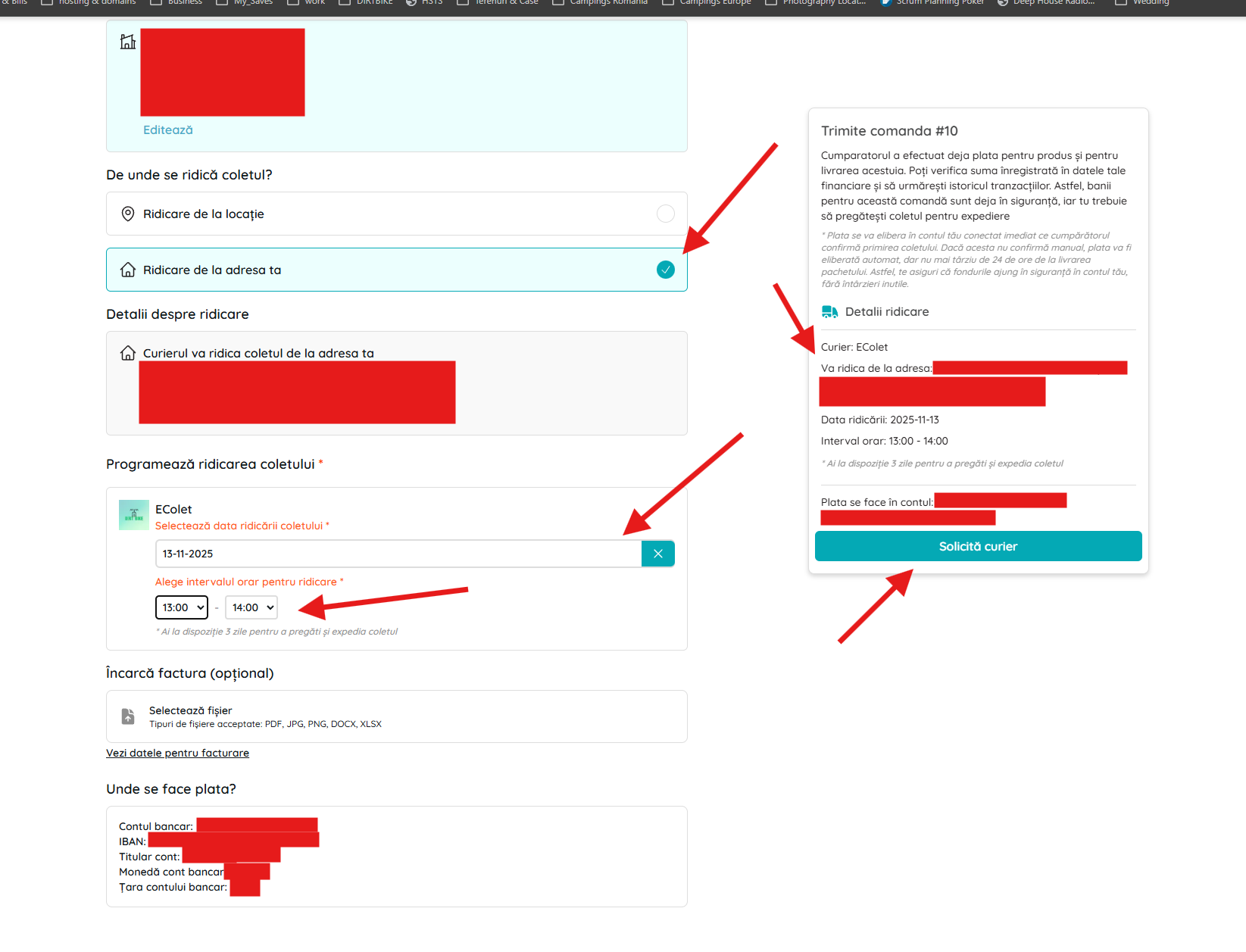
- Check "Pick up from your address".
- Under "Schedule package pickup" choose:
- • Pick-up date (within the available limit).
- • Time interval (e.g.: 1:00 PM–2:00 PM).
- Check the order summary (courier, address, date, interval).
- Click "Request courier" to confirm and generate the AWB.
- Note: You usually have up to 3 days to hand over the package (follow the exact timer).
howto.sell_with_biklo.step4.image.caption
After AWB generation: tracking and documents
Check delivery status and associated documents
- On the order details page you see:
- • AWB and status "Paid by buyer" (product + delivery).
- • The courier and the selected drop-off location (locker/address).
- • Delivery history (e.g.: "Delivery label created").
- • The "Download invoice" button (if you uploaded it).
- Hand over the package according to the instructions and track the status until completion.
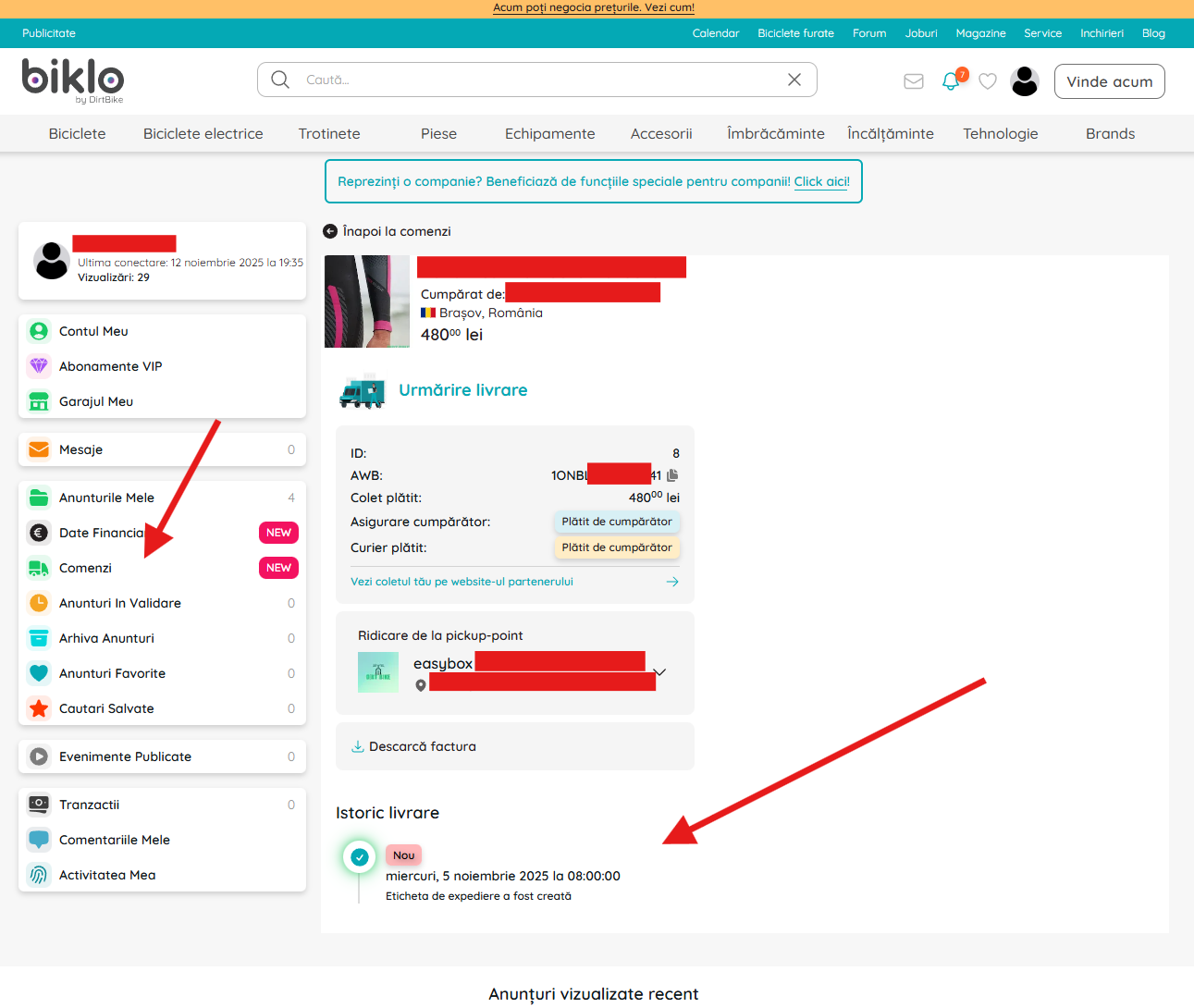
After generating the AWB, you can track the delivery and download the associated documents.
Refusal of an order
If you can't fulfill an order
- 🔹 When you can refuse a delivery:
- The "Refuse Delivery" function is available before the package is sent, while the order is in the "Pending" status.
- 1️⃣ Access the order:
- • Go to the "Orders" → "To be delivered" menu.
- • Find the order marked "Pending".
- • To the right of the "Send package" button, click "Reject delivery".
- 2️⃣ Confirmation of refusal:
- • A confirmation window opens:
- "Are you canceling this order?"
- • You have two options:
- 🔴 Close - return without changes.
- ✅ Refuse delivery – confirm the refusal.
- 3️⃣ After refusal:
- • The order is automatically canceled and the buyer receives notification.
- • The amount paid is refunded in full (less the insurance contribution, if any).
- • The order disappears from your active list.
- ⚠️ Important note:
- Repeated rejection may affect your trust score and eligibility for certain features (e.g., “verified seller” badge).
- Only refuse if the product is no longer available or you cannot deliver on time.
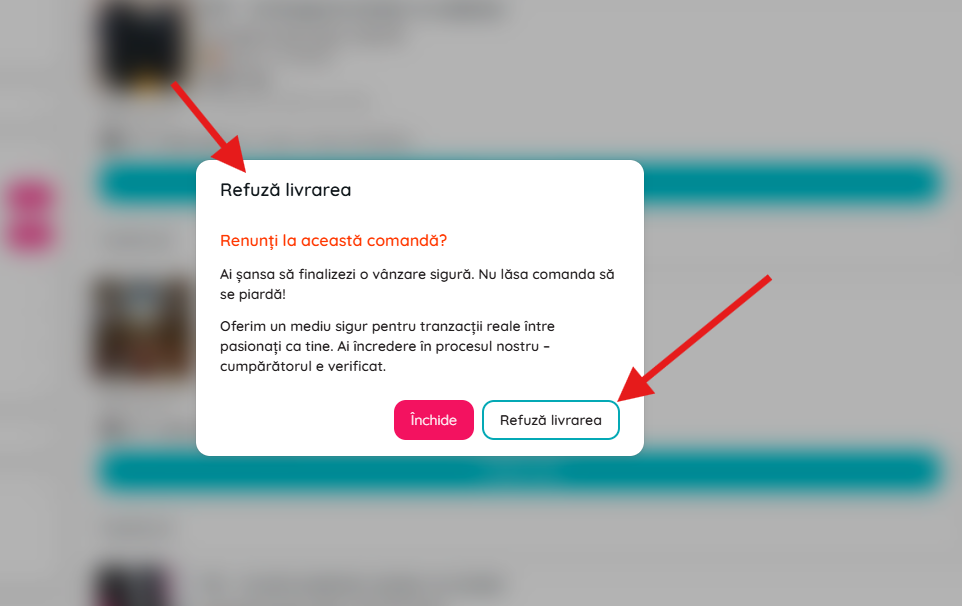
Confirm the refusal of an order only if you cannot fulfill it. The buyer will be automatically notified.