Biklo Guide: Creating a Financial Account
Secure payments & deliveries with Stripe
Ready in 9 easy steps
Follow the steps to enable Stripe payments and sell securely on Biklo.
KYC compliant
Stripe Connected
Direct receipts
Before you begin
- Valid ID
- Correct IBAN of the bank account
- Phone number for verification
1
Open ‘Financial Data’
Your Biklo dashboard → payments section
- Log in and go to Financial Data from the side menu.
- Click ‘Create your financial account’.
- See the benefits: secure payments, fast deliveries, financial control.
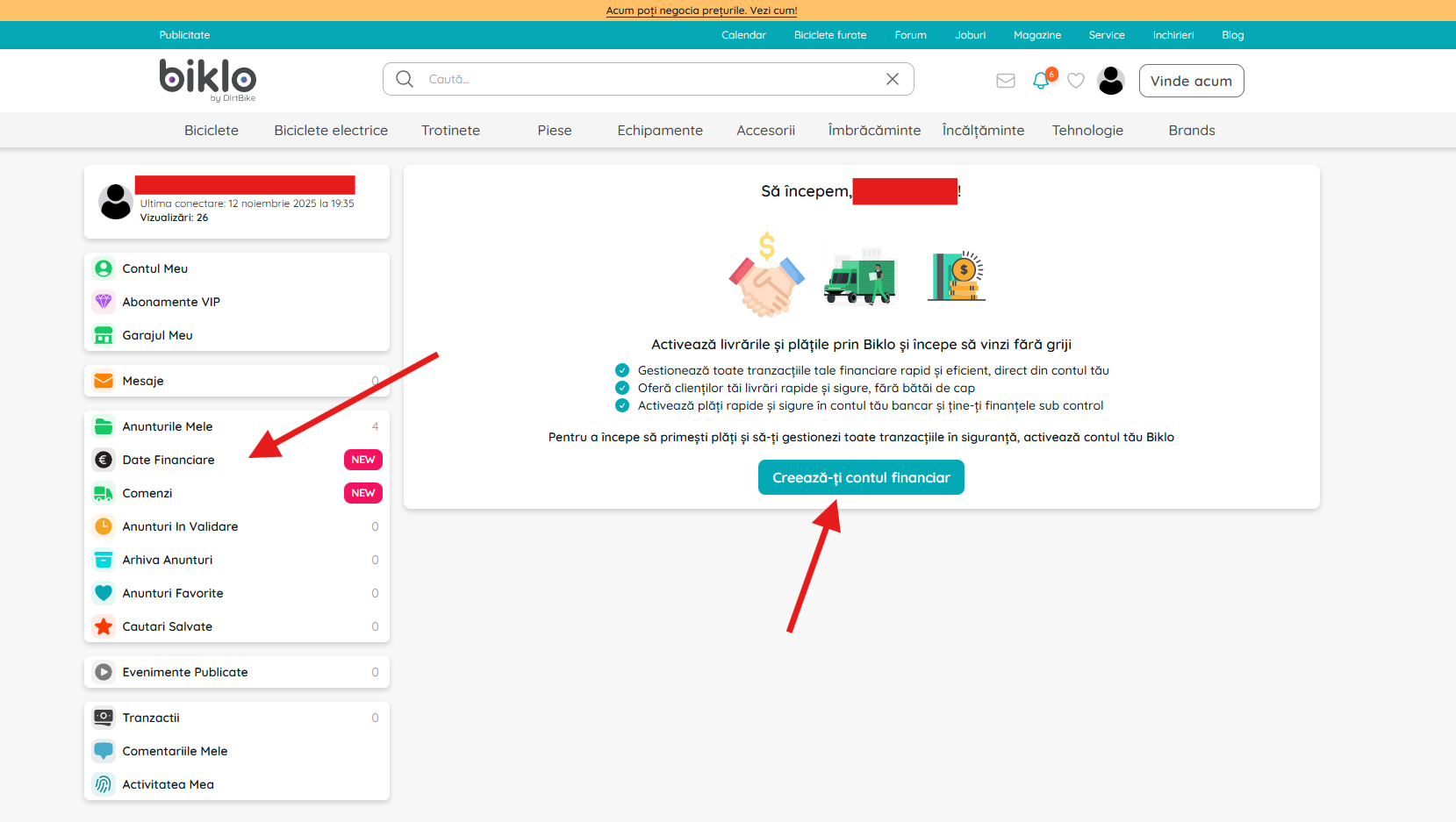
Access the 'Financial Data' section from the side menu of your Biklo account.
2
Fill in your personal details
Exactly like in the ID card
- Enter your first name, last name and email.
- Continue to the next step.
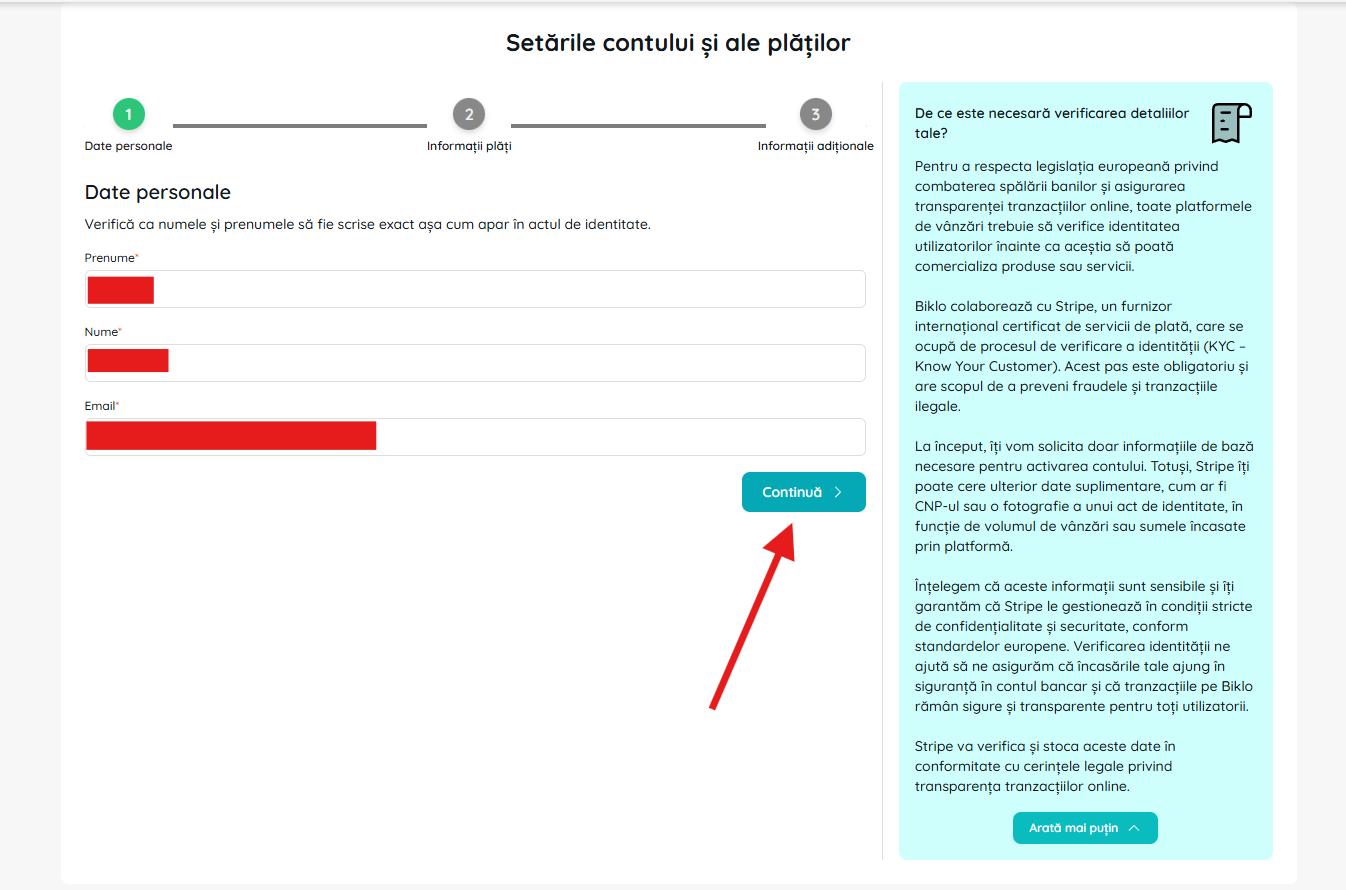
Fill in your personal details according to your identity document.
3
Add payment information
The bank account where you receive your payments
- Select the currency and country of the bank.
- Enter the correct IBAN.
- Click 'Continue'.
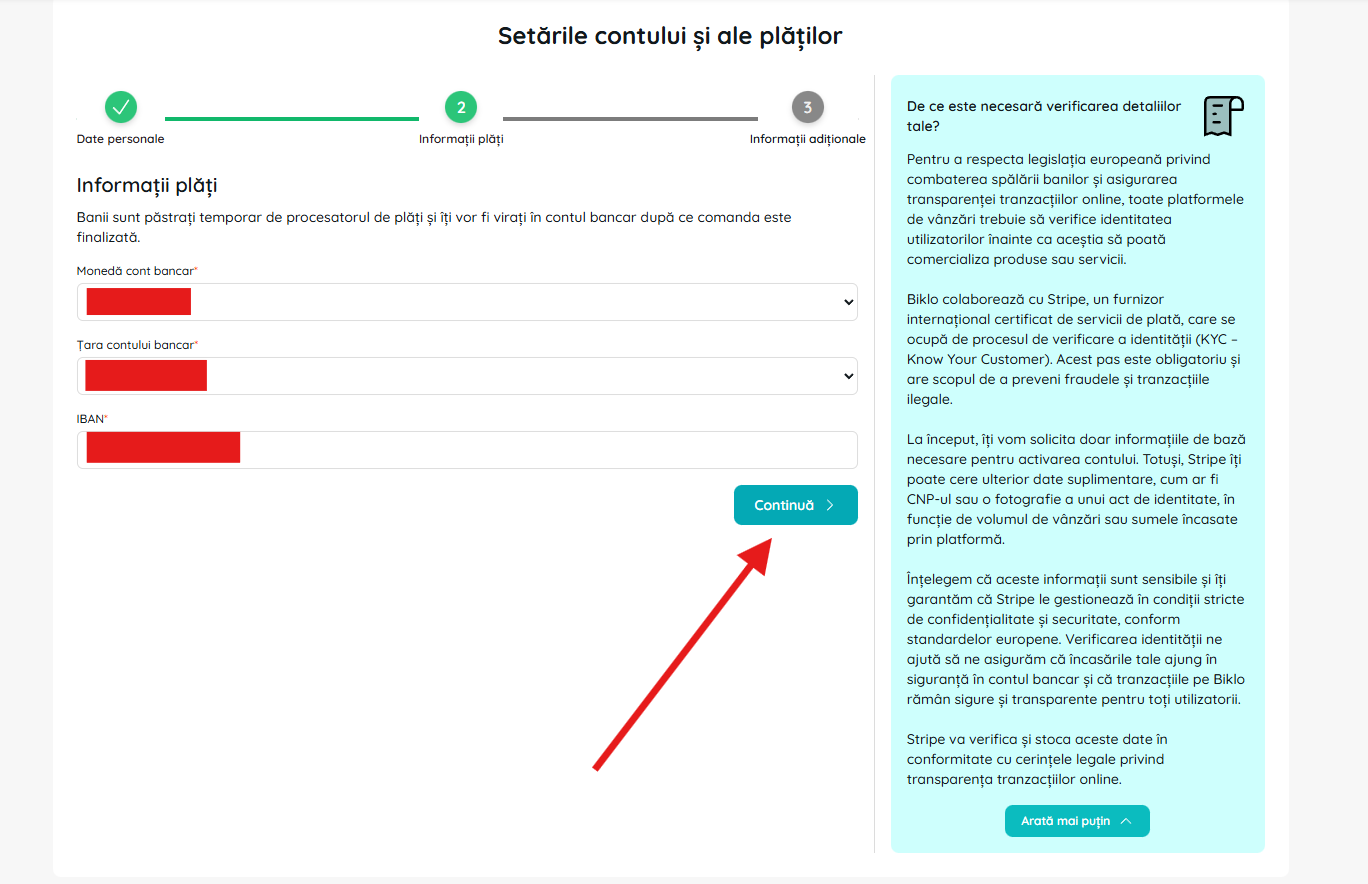
Enter the details of the bank account where you want to receive the proceeds.
4
Additional information & agreements
Address, checks and terms
- Check the summary: personal data + IBAN.
- Add your home address.
- Check 'I accept the terms and conditions' and 'Finish'.
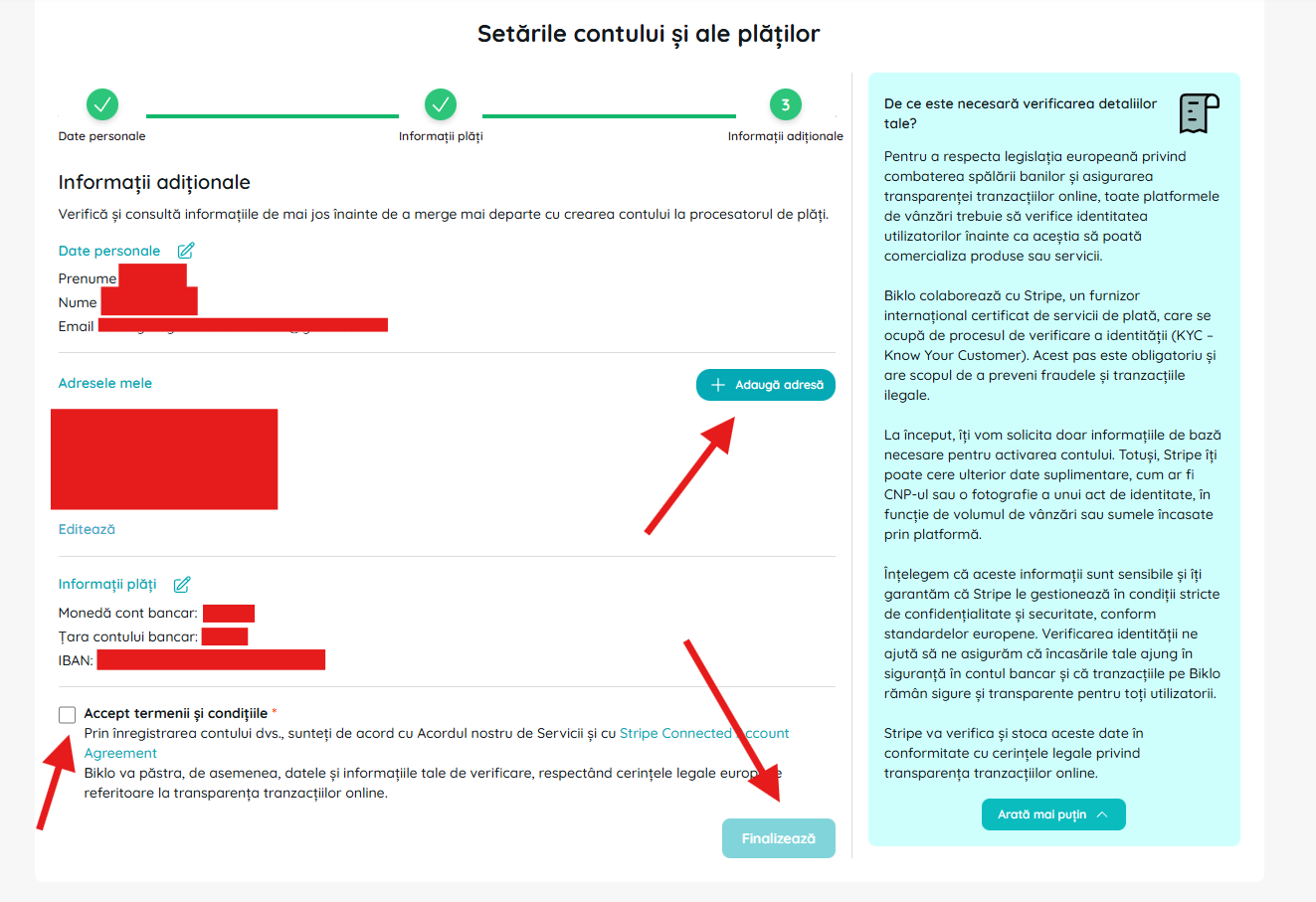
Fill in your home address and accept the terms and conditions.