Biklo Guide: How to Withdraw Funds
Find out how you can transfer funds accumulated from sales directly to your bank account.
Withdraw your money quickly and securely
Once orders are completed and confirmed, you can withdraw the available funds in just a few simple steps.
Secure withdrawals
Minimum 25 RON
Processing 1–7 days
Before you withdraw
- Check if you have a valid bank account connected through Stripe.
- Make sure the funds are listed under "Available."
- howto.withdraw.hero.beforeStart.point3
1
Access the "Financial Data" section
Check your Biklo account balance
- From the left menu, go to "Financial Data".
- See the "Account Balance" section, where the following are displayed:
- • Available – the amount that can be withdrawn immediately.
- • Pending – funds still being processed (e.g. recent payments).
- ⚠️ Funds in "Pending" become available after verification, a process that can take up to 7 business days.
- Click the "Make a withdrawal" button.
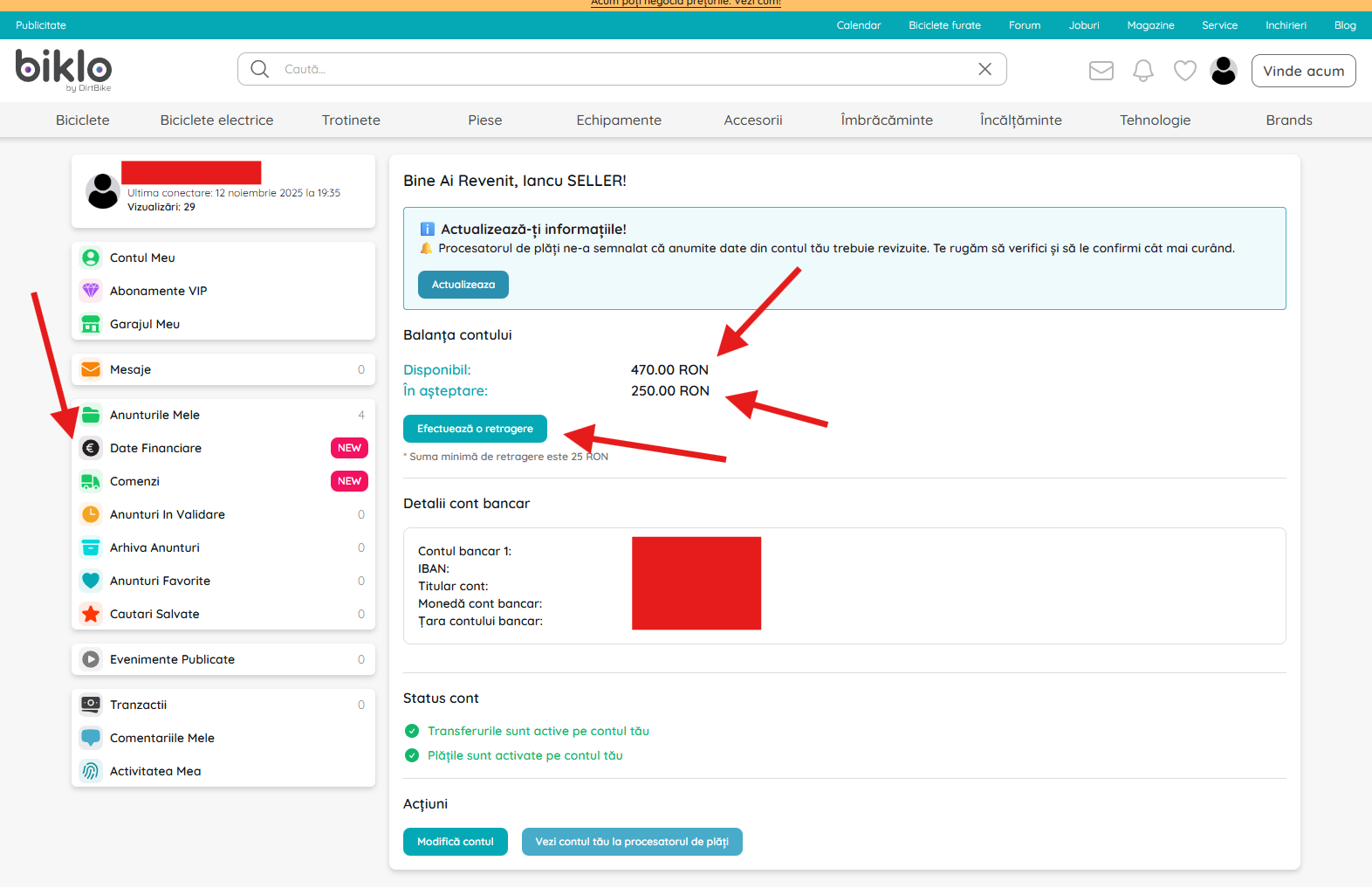
Access the "Financial Data" section to see your account balance and funds available for withdrawal.
2
Enter the desired amount
Fill in the field with the value you want to withdraw.
- In the "Transfer Money" window, the following is displayed:
- • The balance available for withdrawal.
- • Field for entering the desired amount.
- Write the amount you want to transfer to your bank account.
- 💡 The minimum withdrawal amount is 25 RON.
- Once you've filled it out, click "Transfer Funds."
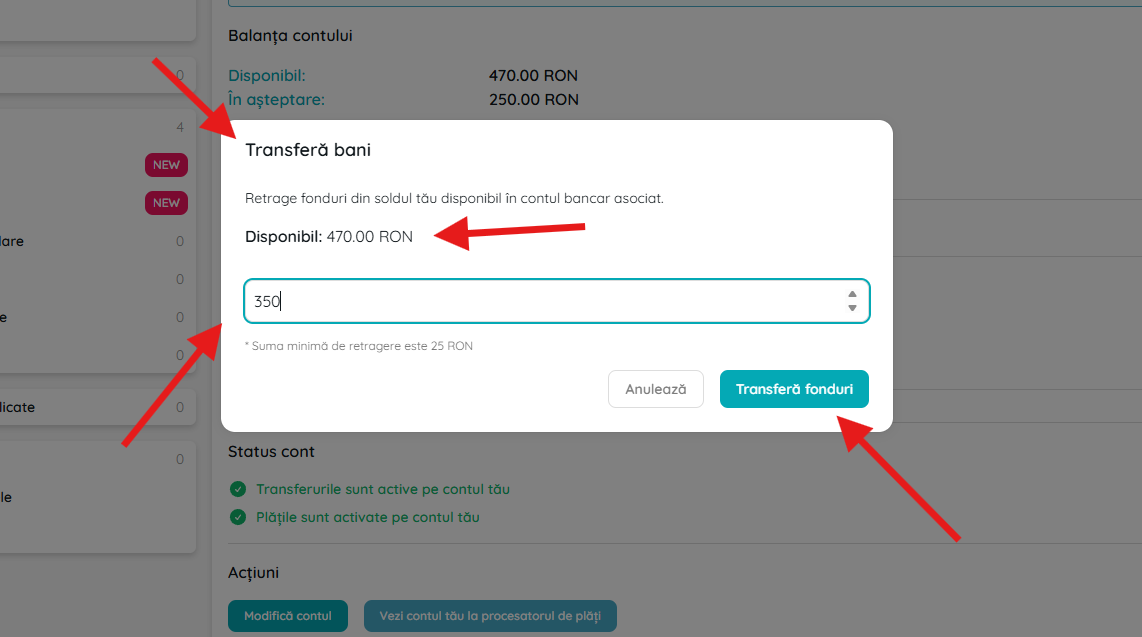
Enter the desired amount (minimum 25 RON) and click "Transfer funds" to initiate the transfer.
3
What happens after withdrawal?
Bank transfer processing and verification
- Funds will be automatically transferred to your associated Stripe/Biklo bank account.
- Depending on the bank and processor, the transfer can take between 1 and 7 business days.
- You can check the status of your payment later in your Stripe account by clicking "View your payment processor account".
Once initiated, you can track the progress of your withdrawal from your connected Stripe account.
Frequently asked questions
🧾 Short summary
| Step | Action | Details |
|---|---|---|
| 1 | howto.withdraw.summary.action1 | View account balance |
| 2 | Click "Make a withdrawal" | Open the transfer window" |
| 3 | Enter the amount (minimum 25 RON) | Confirm and click "Transfer funds" |
| 4 | Wait between 1–7 days | Funds arrive in the connected bank account |